Support
How can we help?
Answers about runs, the Runair Score, leaderboards, special races, privacy and your account.
Write to us


Getting started
How old do I need to be?
Getting started
How old do I need to be?
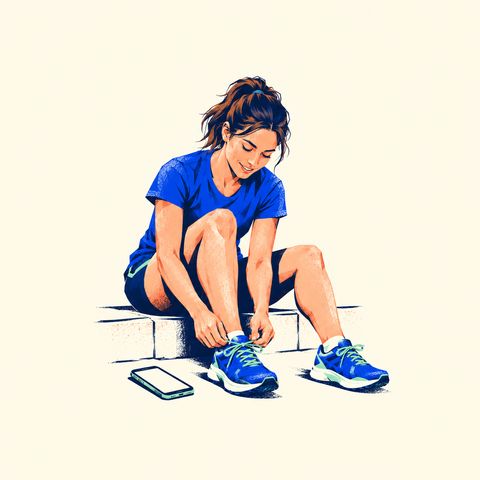
You need to be 18 or older. You confirm this when you sign up.
runair doesn't check anyone's age, identity or fitness. Choose runs that suit you, and put your health and safety before any result or score.
Which phones can I use?
Getting started
Which phones can I use?
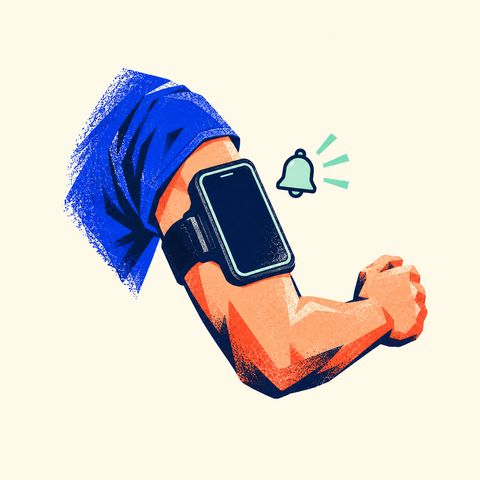
runair is on the App Store for iPhone (iOS 18 or later). The Android app (Android 9 or later) is coming soon to Google Play.
runair is free. Record your runs with your phone, or let your watch do it (see How do I connect my watch?). The Apple Watch app is switched off for now, but runs from your Apple Watch reach runair through Apple Health.
Runs you record in runair are saved to Apple Health on iPhone and to Health Connect on Android, if you allow it. You can also export a run as a GPX or FIT file from its summary.
Where can I run?
Getting started
Where can I run?

Anywhere you like. Every run counts, wherever you run it: in your city, away from home, or on a treadmill with your watch (see What counts as a run?).
Special races are virtual: everyone runs the distance on their own route, in their own city or country, any time inside the race's start window. Everyone is ranked by time, wherever they ran.
You choose your route, so pick one where you feel safe. A flat, quiet loop you know well is ideal.
How do I sign up?
Getting started
How do I sign up?
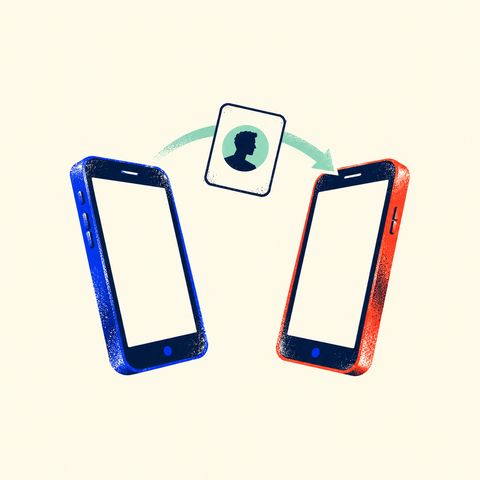
On iPhone, tap Continue with Apple, Continue with Google or Continue with Facebook. On Android, tap Continue with Google. You don't need a phone number or a new password. By continuing, you confirm you're 18 or older and agree to our Terms and Conditions.
Next comes your profile. Choose a unique username. It can be 3 to 20 characters: letters a–z, numbers and underscores. Choose carefully: you can't change it later. Your name comes from your sign-in, and you can change it any time in You → Edit profile. If you like, add your gender and birth year too: they only put you on the gender and age leaderboards (see Why does runair ask for my gender and birth year?).
Then connect your watch, if you run with one: Apple Health on iPhone, Health Connect on Android. Or tap Skip: your phone can record your runs on its own.
Last, runair explains why it needs your location and notifications, before your phone asks. GPS measures the runs you record in the app, also with the screen off. Keep Precise Location on (on Android, choose Precise, not Approximate). Your approximate location, if you share it, is used only to place you on your city's leaderboards. Notifications tell you what each run earned. You can tap Skip for now and still look around, and runs from your watch still count, but you need to allow location before you record a run in the app. Then you land on Home.
How do I connect my watch?
Getting started
How do I connect my watch?
Open Settings → Devices and apps, or use the devices step when you sign up. Connect once, and every run your watch records counts by itself: you don't need to open runair or carry your phone.
- Apple Health (iPhone): for Apple Watch and any app that saves runs to Health. Turn on Read runs from Apple Health and allow access. runair reads your running workouts with their routes, heart rate, cadence, running power and active energy. Runs recorded in runair aren't read back.
- Health Connect (Android): for Galaxy Watch, Pixel Watch, Fitbit and other watches whose app saves runs to Health Connect.
- Garmin and COROS are coming soon: their tiles say Coming soon. Once Garmin is live, you'll tap Connect Garmin, allow runair on Garmin's own page, and Garmin Connect will send your runs to runair.
- Polar, Suunto and other watches count when their app saves your runs to Apple Health or Health Connect.
When you connect, your runs since the season started (1 November or 1 March) come in at once, with one notification for all of them, such as “Imported 15 runs · +540 pts”.
Each tile shows whether it's connected and when it last synced, and Recent imports shows what happened to each run. Watch not there? Tap Missing your watch? and tell us which one.
How do I invite friends to runair?
Getting started
How do I invite friends to runair?

On the You tab, tap Share profile. You'll get a link, runair.app/u/<username>, and a QR code. Share the link any way you like, or let your friend scan the QR code.
With runair installed, the link opens your profile, with your Runair Score, personal bests and medals. Without runair, it leads to the App Store first; after installing, they open the link again.
A friend who signs up through your link counts as your invitation, and your profile shows how many runners you've invited. Only you see that number.
To bring a friend straight into a special race, send a race invitation instead. See How do I invite a friend to a race?
How do I change the language or units?
Getting started
How do I change the language or units?
runair uses your phone's language if the app has it, and English otherwise.
To pick another of runair's sixteen languages, open Settings → App → Language. The change applies straight away, stays on this phone after you sign out, and new notifications use it too.
Kilometres or miles? Open Settings → App → Units. Until you choose, runair uses your country's unit. Your choice is kept on your account, so it follows you to every phone.
Runs and races
What counts as a run?
Runs and races
What counts as a run?

Every run. Record it in runair with Start run, or let it come in from Apple Health, Health Connect or Garmin Connect: outdoors or on a treadmill, short or long, fast or slow. Each run earns a Runair Score, moves you on the leaderboards and keeps your streak.
A few runs don't count. runair keeps them for you, with the reason:
- Too short: under 100 m or under a minute, usually a mis-start.
- Not a run: a workout from your watch that isn't a run, such as a walk or a ride.
- Implausible speed: faster than any runner, such as a stretch in a car or on a bike.
- Removed after review: a run the runair team rejected.
On a treadmill? A run without a GPS route counts for your Runair Score, your distance and your streak, but not for records, the best-time and elevation leaderboards or a special race.
Recorded twice? If your phone and your watch both recorded the same run, the watch's run counts. The phone's is kept, but doesn't count. Delete the watch's run and the phone's counts instead.
Deleting a run takes its score, records and places back. If it was your result in a special race, that race's medal goes too, unless another run of yours still counts there.
How do I record a run in the app?
Runs and races
How do I record a run in the app?
Tap Start run on Home: it's always there. After a three-second countdown (tap to skip it), runair records your run with GPS, so keep Precise Location on (on Android, choose Precise). There's no distance to reach and no time limit.
While you run, swipe between the live map and your stats: distance, time, pace, splits, elevation and, when your phone gets it live, heart rate. Tap Pause to stop the clock, then Resume or Finish. To use other apps, minimise the run: it keeps recording, and the bar above the tabs brings it back.
Finish asks whether to Save or Discard the run. runair then opens your run summary: the map, your numbers, the Runair Score the run earned, the places it gained, new records and your splits. From there you can share the run, export it as a GPX or FIT file, report a problem with it or delete it.
Running with a watch? You don't need to open runair at all: see How do I connect my watch?
What if my screen locks, I lose signal or the app closes mid-run?
Runs and races
What if my screen locks, I lose signal or the app closes mid-run?
Locking your screen is fine. runair keeps measuring with the screen off and in the background, as long as it has location access. On Android, you'll see a notification while it measures, if notifications are allowed.
Losing signal is fine too. Your phone keeps measuring, saves everything as you go and sends it once it's back online. You can even start a run with no signal. If you finish offline, the summary shows your phone's own numbers and fills in your Runair Score once you're back online.
If the app closes, or your phone's battery saver stops it, open runair again straight away. Everything recorded up to then is kept, but runair can't measure while it's closed.
Forgot to finish? If runair hears nothing from a run for 24 hours, it ends the run for you with what it has: your last progress, or the route your phone already sent. It's saved if it's long enough to count; if it isn't, it's set aside, and it comes back as soon as your phone sends the rest.
What are special races?
Runs and races
What are special races?
Every few weeks, the runair team sets a special race: a distance, such as 10 km, and a start window, such as Friday to Sunday. Special races are virtual and free: you run the distance wherever you are, and everyone is ranked by time. Races shows the next five weeks on a calendar, and the next race is on Home too.
Just run. There's no race mode and no need to register: during the window, record a run with Start run or run with your watch. A run becomes your result when it starts inside the window, has a GPS route and covers the whole distance. Your time is the fastest stretch of the race distance inside that run, so a 12 km run gives its best 10 km. If a run covers several races at once, it counts for the longest one it fully covers.
Want a reminder? Open the race and tap Register. runair reminds you the evening before, then on the morning of an all-day race or an hour before a race with set hours. You can register for as many races as you like.
Attempts. Some races allow a set number of attempts; others have no limit. Your best time ranks. A run past the limit still counts as a normal run, just not in the race. The stretch that counts must also be faster than 20 minutes per km.
Got a link from a friend? Open it on your phone. With runair installed, it opens the race in the app. Without runair, you'll see the race on runair.app with a link to download the app; after installing, open the link again. You can't register on the website.
How are results decided?
Runs and races
How are results decided?
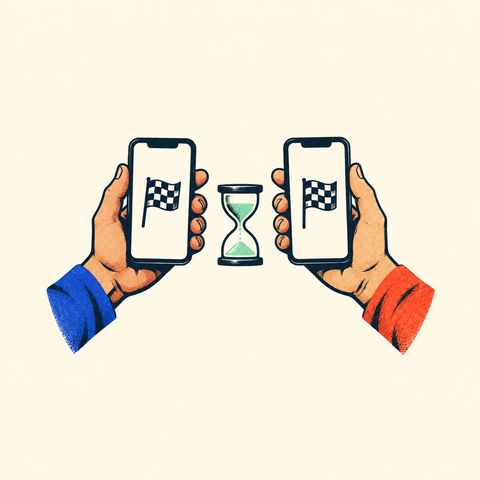
The fastest time wins. Everyone is ranked by their best result, fastest first; with equal times, the result that arrived first ranks higher.
As soon as a run becomes your result, its summary and the race show your provisional place, such as #14. It can still change while others run.
Results become final two hours after the start window closes, so a watch that syncs late still makes it. If notifications are on, you get one with your final place. That's also when the placement bonus is added to your Runair Score.
A disqualified runner isn't ranked and loses the race's bonus. A cancelled race never counts.
Results show each runner and their time, in the app and on the race's page on runair.app. A private runner appears to everyone else with just their username, place and time: no flag, name or photo.
How do I invite a friend to a race?
Runs and races
How do I invite a friend to a race?
Open a special race and tap Invite a friend. Choose Story or Post, light or dark, and share the image and its link from your phone's share sheet.
The link looks like runair.app/r/spring-15k-2027?from=<username>. With runair installed, it opens the race in the app. Without runair, it opens the race on runair.app, with a link to download the app.
A friend who registers through your link counts as your invitation, and your profile shows how many runners you've invited.
How do I share a run?
Runs and races
How do I share a run?

Tap Share on a run's summary. The story editor opens: choose Story or Post, then a theme, starting with Classic. Themes that suit your run, such as its special race, a holiday or the season, come first under For you now. Transparent leaves out the background, so you can lay the card over your own photo.
Drag, pinch and turn the layers: your route or map, distance, time and pace, Runair Score, a place you climbed, a record, stickers, your own text or a drawing, and a photo from your library behind it all. Drop a layer in the bin to remove it; Undo brings it back.
Tap Next to send it to an Instagram story or post, WhatsApp or another app, or to save it to Photos. Save as my default layout keeps your layout for next time.
Only your own run can show a route, and its map always leaves out the first and last 100 m. No card shows your gender or birth year.
You can also share a special-race result or invitation, a medal, your streak, a season or your profile.
I don't get notifications.
Runs and races
I don't get notifications.
First, open Settings → Notifications. Your phone's permission is at the top: if notifications are off, turn them on there or in your phone's settings. Also check that Focus or Do Not Disturb isn't silencing them.
Each kind has its own switch, and all of them start on:
- Results: after every run, what it earned and the biggest place it gained; and a special race's final place.
- Race reminders: for races you've registered for, the evening before, then on the morning of an all-day race or an hour before a race with set hours; and if a race is cancelled.
- Streak reminder: on Saturday at 10:00, if a streak of two weeks or more still needs a run this week.
- Season summary: when a season ends.
Notifications can arrive late, or not at all, so check Home to see where things stand. It's up to date whenever you're online.
Score, leaderboards and medals
What is the Runair Score?
Score, leaderboards and medals
What is the Runair Score?

Every run earns a Runair Score. Your Runair Score grows with every run — the further and faster, the more.
It adds up over a season and decides your place on the Runair Score leaderboards. Everyone starts each season at 0.
Special races add a placement bonus when their results are final: the higher you finish, the bigger the bonus. A race marked 2× points doubles it.
Nothing is ever taken away for resting. Only deleting a run takes its score back, and a disqualification takes back only that race's bonus.
You'll see what each run earned on its summary, today's total on Home, and your season's score line on your profile.
How do the leaderboards work?
Score, leaderboards and medals
How do the leaderboards work?
Open the Leaderboards tab. Your places comes first: your best places across every board you're on, best first, such as “Top 3% · 5 km · F30 · Poland”. Tap one to open its board.
There are four kinds of board, all for the current season:
- Runair Score: your score this season.
- Distance: how far you've run.
- Elevation: how much you've climbed.
- Records: your best time at each distance from 400 m to 50 km.
Each comes for your city, your country and the world (in the app, named like Wrocław · Poland · Global), with filters for gender (All, Women, Men) and age (All, under 20, 20–29 and so on up to 70+).
Every row has its place, such as #6 or #4,213, and your own row also shows your percentile, such as Top 9%. A board with fewer than ten runners shows open places.
After every run, its summary and notification show the places it gained, such as “Up to #12 · Runair Score · Wrocław”. They never show a drop.
Your city's boards take runners in and around your city, found from your approximate location. No city names are stored, and the boards show no distances. No location shared? Tap See your place in your city. Your country's boards take runners with the same country on their profile as you. No country set? Choose one in You → Edit profile. Without a gender or birth year, you're on the All boards only.
On every board, global, country or city, filtered or not, a private runner appears to everyone else with just their username, place and value: no name, photo or flag.
What are seasons?
Score, leaderboards and medals
What are seasons?
runair has two seasons a year, on Warsaw time: the winter season, from 1 November to 1 March, and the summer season, from 1 March to 1 November. Winter season 2026/27 is the first.
Each season starts from zero: your Runair Score and every leaderboard begin again. A run counts in the season it started in. Your streak and your personal bests carry on.
When a season closes, you get its season badge, with your score and places, and a notification. The next time you open runair, it shows your season summary, which you can share.
Past seasons' final standings stay on the leaderboards, in the season menu.
How does the streak work?
Score, leaderboards and medals
How does the streak work?
Any run in a week and the week counts. Weeks run Monday to Sunday.
Every run that counts keeps the week: recorded in runair or from your watch, short or long, on a treadmill too. A run you delete stops counting, so deleting the only run of a week can shorten your streak.
Your week runs from Monday 00:00 to Sunday 23:59 in your time zone. A run counts for the week it started in.
A whole week without a run ends your streak. There are no freezes or repairs. Your best streak is kept.
If notifications are on and a streak of two weeks or more still needs a run, runair reminds you on Saturday at 10:00: “Your 6-week streak needs a run by Sunday.”
At 4, 10 and 26 weeks, then every 52, and at 100 weeks, you get a celebration.
Tap your streak on Home to see every week since your first run. Tap Share to share it.
How do I earn medals?
Score, leaderboards and medals
How do I earn medals?

There are two kinds of medal. Finish a special race and you earn its race medal, made from the race's own art, with your time. When a season closes, everyone with a result in it gets the season badge, with their score and places.
That's all: there are no medals for streaks, distances, pace or places. Bringing in your watch's past runs never earns a medal by itself; a run earns one only when it's your result in a special race.
A race medal follows your result: delete the run that counted, and if no other run of yours counts in that race, the medal goes too. A season badge stays for good.
A new race medal shows on the summary of the run that earned it. Open it to see it full screen, turn it and share it. Tap a race medal to open its race.
Open You → Medals to see your medals. Other runners see the same medals. If your profile is private, nobody else sees them.
Privacy and your account
Can other runners see where I am?
Privacy and your account
Can other runners see where I am?

No. Other runners never see your location, your routes or where you ran.
Your runs are private: nobody else sees a single run, its map or its numbers. Others see your places on the leaderboards, your special-race results and, unless your profile is private, the totals and records on your profile.
runair keeps an approximate location, rounded to about a kilometre, only to place you on your city's leaderboards. It's optional. Nobody sees that location, and the boards show no distances.
To stop sharing it, open Settings → Privacy & safety and turn off Share location. runair deletes it and you leave your city's boards.
Your profile's country flag decides your country's boards. Your phone works out the country from its first location and sends only the country for this, never coordinates. You can change it or leave it unset.
For each run, runair keeps its GPS track, from your phone or your watch, to measure the run and draw its map for you. Other runners never see it. A card you share shows your route only if you keep it on the card, and its map always leaves out the first and last 100 m (see Sharing).
Read more in our Privacy Policy.
Why does runair ask for my gender and birth year?
Privacy and your account
Why does runair ask for my gender and birth year?
Both are optional. They're used only to put you on the leaderboards for your gender and your age category, so you can see how you do among runners like you.
Nobody else sees them. On a board filtered by gender or age, others see only that you're on it: its category, such as F30. Without them, you're on the All boards only.
Age categories are ten-year bands, such as F30 or M30 for 30 to 39, from F–19 and M–19 (under 20) to F70+ and M70+. Your age for a season is the year the season starts in minus your birth year, so your category stays the same all season.
You set each once, when you sign up or later in Edit profile. To change one after that, open Settings → Help and feedback and write to us; the runair team makes the change. A season that has closed keeps the category you had at its close.
Deleting your account deletes both.
How do I make my profile private?
Privacy and your account
How do I make my profile private?
Open Settings → Privacy & safety and turn on Private account.
Other runners see your photo, username, name and Runair Score. Your streak, runs, stats, personal bests, medals, bio, links, country flag and places stay hidden.
On all leaderboards and in race results, everyone else sees just your username, your place and your result.
Where does the flag on my profile come from?
Privacy and your account
Where does the flag on my profile come from?
By default, it comes from the first location runair gets. Your phone works out the country and sends only the country, never coordinates for this.
To change it, open Edit profile on the You tab, or Settings → Country. Search the country list, or choose Not set.
A choice you make always wins. Automatic detection only fills a country that was never set.
If your country isn't set or can't be found, such as when location permission is off, you see a neutral unknown flag.
The flag appears next to your name. Everyone sees it on a public profile. On a private profile, only you see it; everyone else sees no flag at all.
Your profile country decides your country's leaderboards, and your city's boards need it too.
How do I report a problem or block someone?
Privacy and your account
How do I report a problem or block someone?

To report someone, open their profile, tap ··· and choose Report … (for example, Report kasia_runs…). Pick a reason, such as an offensive name or photo, harassment, spam or cheating, and send it. Only the runair team sees reports, and the runner you report isn't told. We review every report within 24 hours. You can also email support@runair.app.
Something wrong with a run? Open its summary, tap ··· and choose Report a problem with this run, such as a wrong distance, a missing route or a wrong score. A special race has Report in its ··· menu too.
Found a bug or have an idea? Open Settings → Help and feedback and tap Report a bug or Send feedback. A bug report includes the app's version and your phone's model and system version, nothing else. On iPhone, you can add a screenshot; only the runair team sees it. Choose You may reply to my email if you'd like an answer.
To block someone, open their profile, tap ··· and choose Block…. You won't find each other in search or see each other's profiles. They aren't told about the block. To unblock them, open their profile again, tap ··· and choose Unblock.
Our Terms and Conditions explain what isn't allowed.
Blocking can't protect you in person. We're not an emergency service and don't read messages around the clock. If you're in danger, call 112 (in Poland and the EU) or your local emergency number.
Can I use my account on a new phone?
Privacy and your account
Can I use my account on a new phone?
Yes. On the new phone, sign in with the same Apple, Google or Facebook account you used before. Your runs, Runair Score, race results, streak and medals come with you. You'll go through the devices and location steps again, so connect Apple Health or Health Connect on the new phone too.
Moving from iPhone to Android? The Android app only offers Google sign-in. If you signed up with Apple or Facebook, first open Settings → Account on your iPhone and tap Continue with Google there. Then tap Continue with Google on Android and use that same Google account. If you sign in with Google on Android first, you'll get a new, separate account, and we can't merge the two.
Lost your iPhone before you could do that? Email support@runair.app with your runair username. We'll check the account is yours and try to help, but we can't always recover an account.
How do I delete my account?
Privacy and your account
How do I delete my account?
Go to You, tap the gear to open Settings, then tap Delete account at the bottom and confirm. Your account is deleted straight away and you're signed out. You don't need to email us. Sign out, just above it, only signs you out of this phone, and your account stays.
What's deleted: your username, name, photo, bio, links, country, gender, birth year, approximate location and sign-in details; every run, with its GPS track, heart rate and other recorded data; your Runair Score, records, streak, medals and season results; your special-race registrations and results; your notification settings; and your Garmin connection, with Garmin told to stop sending runs. You also leave every leaderboard and race result.
What stays: some records, such as reports and notification logs, can stay for a while and may still include your name. Backup copies expire on their own, usually within 27 days. Our Privacy Policy has the details and explains your rights.
There's no undo. If you sign in again later with the same account, you'll start a brand-new account, with no history.
Lost your phone? Sign in on another phone and delete your account there. Or email support@runair.app with your username, and we'll check the account is yours and delete it for you.
Something not working?
Got a question we haven't answered? Email support@runair.app. A real person reads every message. Found a bug? In the app, open Settings → Help and feedback → Report a bug and tell us what happened.
Email support
Not on runair yet?
Get runair, free on the App Store for iPhone (Android coming soon). Every run counts, from the very first.


On a computer? Scan with your phone’s camera to get the app.